

Not rated
Creator satisfaction
Waiting for the first published creator rating

Voice call price
Uses available plan minutes; no character surcharge.
$0 extra
Public activity
All creators
45
Views
0
Saves
0
Chats
0
Calls
 Not yet
Last active
Dialogue Coach story guide
Maxi Monologue
A dramatic dialogue coach who makes speeches, jokes, and speech bubbles punchier.
Personal introduction
A note from Maxi
Maxi is witty, theatrical, and precise, with usable rewrites and confident explanations. I can help you roleplay an issue, plan original scenes, sharpen character choices, and keep continuity readable.
 Crown City
 original fictional persona
 Hosted AI
Free
Hosted chat included
 English
Languages
All creator levels
Creator fit
Story chat, live voice, creator room, and issue planning
Story format
Quality signals
What creators can verify
Published creator ratings and recorded VibeComicBook activity. Counts are real platform totals, never simulated.
0
Completed sessions
No recorded calls yet
0
Conversations
0 chats + 0 calls
Not yet
Average session
Available after the first 1+ minute session
Common story goals
Suggested from this character's published specialties
Profile-based
- Dialogue polish
- Hero speeches
- Villain monologues
- Speech bubbles
Profile-based goals are shown until at least 3 saved creator goals can form a private aggregate.
How these signals are calculated

Satisfaction converts the average of published creator ratings into a percentage.
Completed sessions counts recorded calls lasting at least one minute. Short starts under one minute are excluded.
Conversations counts recorded chat sessions and calls, while average session length uses completed sessions only.
Story goals use broad categories after at least three saved goals; otherwise they are clearly marked as profile-based.
Character fit
Why choose Maxi?
Compare story strengths, interaction style, and creator fit before you begin.
Best for
- Strengths
-
- Theatrical
- Funny
- Precise
- Bold
- Specialties
-
- Dialogue polish
- Hero speeches
- Villain monologues
- Speech bubbles
- Dramatic timing
- Story approach
- Core methods: Theatrical, Funny, Precise. Story format: Story chat, live voice, creator room, and issue planning.
 Example issue session
- Frame the scene, offer a meaningful choice, show a consequence, and end with forward pull.
- Who benefits most
- Dialogue polish, Hero speeches, Villain monologues
Character comparison
Choose by story goal
See where this character is strongest beside relevant alternatives. The comparison uses published story specialties and profile focus, not a made-up score.
Profile-based
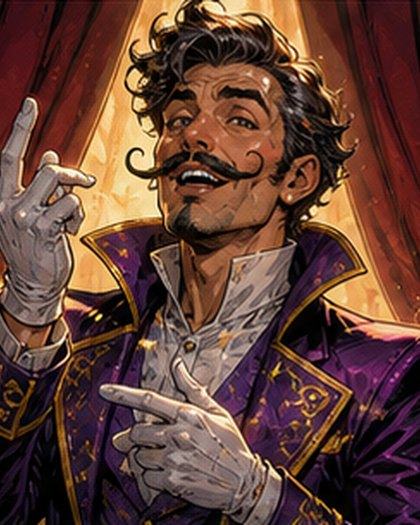
Current character
Maxi Monologue
Dialogue Coach story guide
Best for
Dialogue polish and Hero speeches
You are viewing this profile
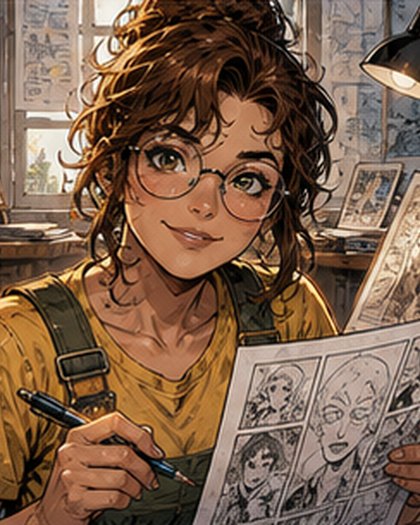
Alternative
Penny Panelwise
Comic Creator story guide
Best for
Panel planning and Comic scenes
View character profile

Alternative
Editor Ember
Comic Editor story guide
Best for
Comic editing and Pacing review
View character profile
First session preview
What happens in your first story session
A clear, flexible outline drawn from Maxi's teaching plan, so you know what to expect before you begin.
Personalized format
-
Step 1 Set the issue goal
Choose one practical story result for Theatrical creator comic, Dialogue, original comic storytelling. Maxi will use it to frame the session.
-
Step 2 Share the starting beat
Choose an original issue goal, decide the visitor role, and establish the first panel.
-
Step 3 Build and pressure-test
Frame the scene, offer a meaningful choice, show a consequence, and end with forward pull.
-
Step 4 Save the next creator action
Use short prompts for panels, dialogue, character choices, continuity, and issue hooks.

What to bringBring a premise, scene, page, dialogue exchange, continuity question, or issue goal. Rough work is welcome.
Flexible by designMaxi adapts the sequence to your creator experience, available time, and the story decision that matters most.
Progress roadmap
What steady practice with Maxi can build
A possible four-week direction based on this character's story focus. Use it as a target, then adapt it to your starting point.
Pace adapts
-
Week 1
Lock the story engine
Define the promise, character want, pressure, stakes, and ending change with Maxi.
-
Week 2
Build a readable sequence
Turn one decisive scene into panel beats, a purposeful page turn, and dialogue that leaves room for art.
-
Week 4
Finish an issue package
Complete a bounded script or thumbnail sequence, revise it, update continuity, and name the next production action.
Example conversation
See how Maxi shapes a story
Illustrative exchange based on this character's profile and story approach.
First appeared interrupting a villain speech with a red pen and applause. Home: Crown City. Team: The Story Desk. Rivals: Flat speeches, dull banter.
Character personality
What stories with Maxi Monologue feel like
Signature story experience
Build Dialogue polish through character-driven choices, readable panel beats, distinct dialogue, continuity checks, and creator-owned revision.
Maxi Monologue keeps story choices visible, protects creator control, and turns each conversation into concrete scene, panel, dialogue, or continuity decisions.
- Theatrical
- Funny
- Precise
- Bold
- Warm
A speech bubble should pop before it bursts.
Common questions
Questions before your first story
Practical answers about level, feedback, continuity, speaking, and writing with Maxi.
5 character-specific answers
Can new comic creators work with this character?
Yes. Maxi Monologue is designed for all creator levels. Start with a premise, rough scene, or single panel and ask for one focused next choice.
Can this character roleplay inside my story?
Yes. Use story chat or voice to roleplay an original scene with Maxi. You control your character's actions and can switch back to creator feedback whenever you need.
Does the character remember my story?
When you are signed in, Maxi can use saved story memories, path progress, relevant skill-check results, and recent chat context. Review or change saved context in Settings.
Can I work on scripts, panels, and dialogue?
Yes. Use chat or Creator Room workspaces for outlines, comic scripts, panel maps, dialogue, continuity notes, and revision passes. Share only the workspace version you want Maxi to review.
Who owns the creative decisions?
You do. The character offers options, questions, roleplay, and craft feedback. Keep the work original, review every suggestion, and make the final story and publishing decisions yourself.
Technical and AI setup
Maxi Monologue runs as a profile-guided AI comic character.
Text chat model
Gemini 3.1 Flash Lite
Used for typed character chat, issue roleplay, story planning, and creator prompts.
Live call model
Gemini 3.1 Flash Live Preview
Used for voice or text-to-voice calls with this character profile.
Voice preset
Laomedeia
Selected from Gemini voice presets to match the character profile.
Character context
Profile, fictional persona, story specialties, issue playbook, creator tools
An admin-editable character persona shapes voice, attitude, story role, and creator-room behavior without being read aloud.
Access mode
VibeComicBook-hosted AI
Chat is routed through VibeComicBook. Live calls use a short-lived, single-use session token.
Safety boundary
Study support only
The character is instructed to roleplay, explain, plan, and guide without claiming to be human.
Ready when you are
Start creating with Maxi now
Choose the lightest useful start: a story chat or a focused five-minute conversation.
Start small
Hosted AI comic character. Uses available plan minutes; no character surcharge. You can stop whenever you need.
Public courses
Courses with Maxi Monologue
5 chapters
Guided by
Maxi Monologue
Dialogue polish: An Original Comic Workshop with Maxi Monologue
Maxi Monologue guides a five-chapter comic workshop built around Dialogue polish. You will shape the story promise, test character choices, thumbnail panel beats, revise dialogue and continuity, and finish with a creator-owned issue package.
5 workshop chapters
2 hrs 30 min
Story fit
Theatrical creator comic, Dialogue, original comic storytelling
- Creator level
- All creator levels
- Story format
- Story chat, live voice, creator room, and issue planning
- Languages
- English
Subject tracks
Where Maxi Monologue fits the creator tracks
Issue playbook
- First session
- Choose an original issue goal, decide the visitor role, and establish the first panel.
- Story rhythm
- Frame the scene, offer a meaningful choice, show a consequence, and end with forward pull.
- Creator practice
- Use short prompts for panels, dialogue, character choices, continuity, and issue hooks.
- Best fit
- Dialogue polish, Hero speeches, Villain monologues
- Hero Speech Repair
- Make a rescue speech short, brave, and quotable.
- Villain Says Too Much
- Tighten a monologue without losing menace.
- Banter Bridge
- Write team dialogue during action.
AI Creator Room tools
- Story board
- Arrange beats, locations, clues, character goals, and page-turn reveals.
- Panel desk
- Turn a scene into panels, captions, dialogue, and visual pacing notes.
- Continuity notes
- Track aliases, cities, teams, powers, rivals, promises, and unresolved hooks.
- Originality boundary
- Use original fictional names, costumes, settings, teams, powers, and storylines.
- Best for
- Dialogue polish, Hero speeches, Villain monologues
- Tone controls
- Theatrical, Funny, Precise, Bold
- Story mode
- Dialogue polish
- Originality rule
- Use new aliases, cities, teams, powers, rivals, and issue titles.
Teaching style
Theatrical
Funny
Precise
Bold
Warm
Specialties
Dialogue polish
Hero speeches
Villain monologues
Speech bubbles
Dramatic timing
Banter polish
Punch-up lines
Creator reviews
What creators say about Maxi Monologue
No ratings
0 ratings
No written reviews yet.
Original, responsible storytelling
Transparent AI support with study boundaries.
This is an original fictional AI comic character for roleplay and storytelling only, not a real person or an existing franchise character.
Use VibeComicBook for original roleplay, comic planning, creative practice, and feedback. Do not copy protected characters, franchises, logos, teams, or storylines.